Terminal UI
onctl tui is your VM list as a live, full-screen view laid out like
k9s: a header with the provider, VM counts and the
current view's hotkeys, one table, and a crumbs line. It refreshes every 15
seconds, and every action in it runs the matching onctl command.
onctl tui                # the current provider (ONCTL_CLOUD, or -p); without one, pick from the providers list
onctl tui -p hetzner
onctl                    # the same as onctl tui; onctl --help for the commands
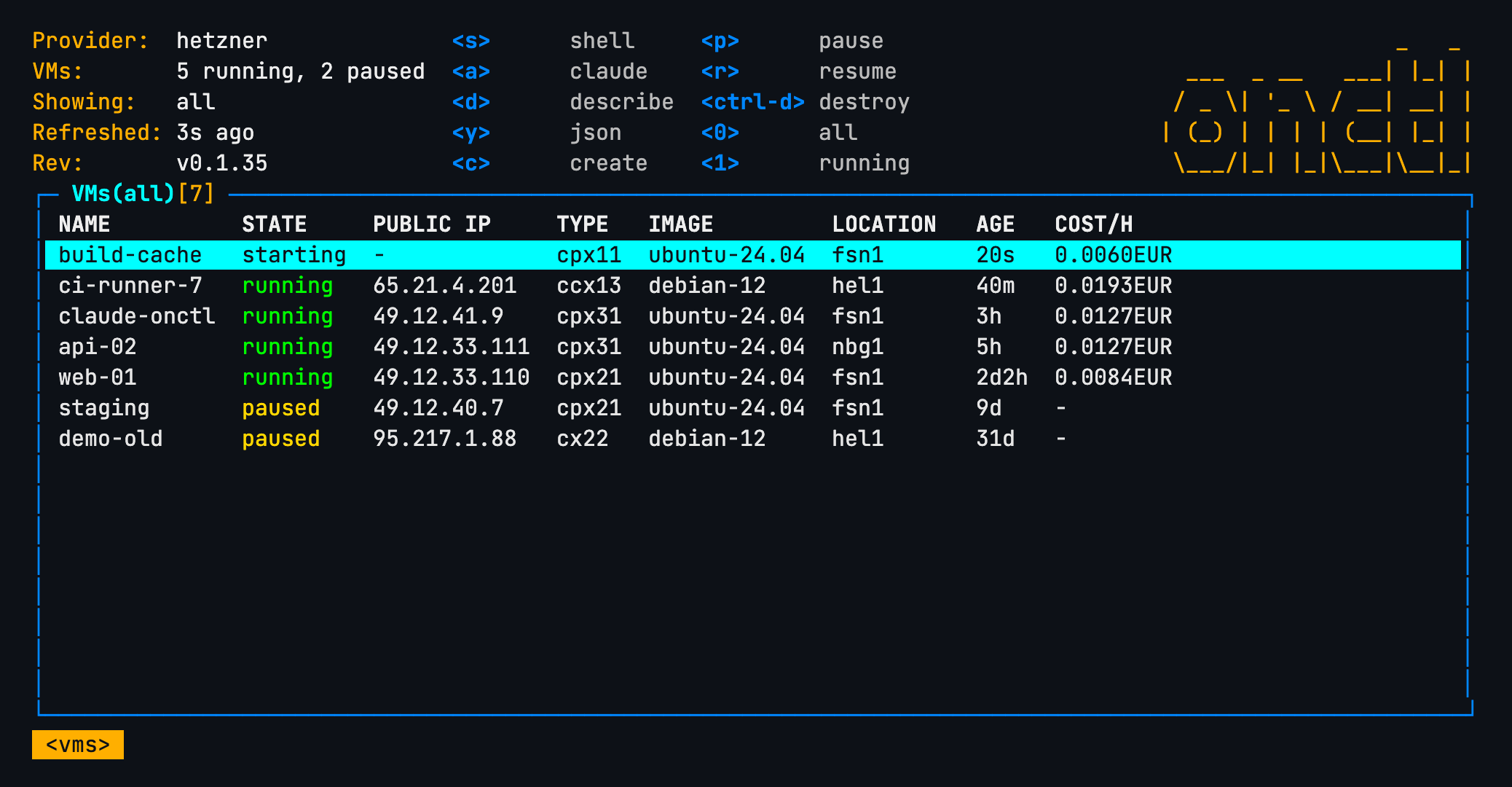
The screenshots on this page are the real view rendered against sample Hetzner data, so the keys, columns and colours are what the command draws.
Moving around
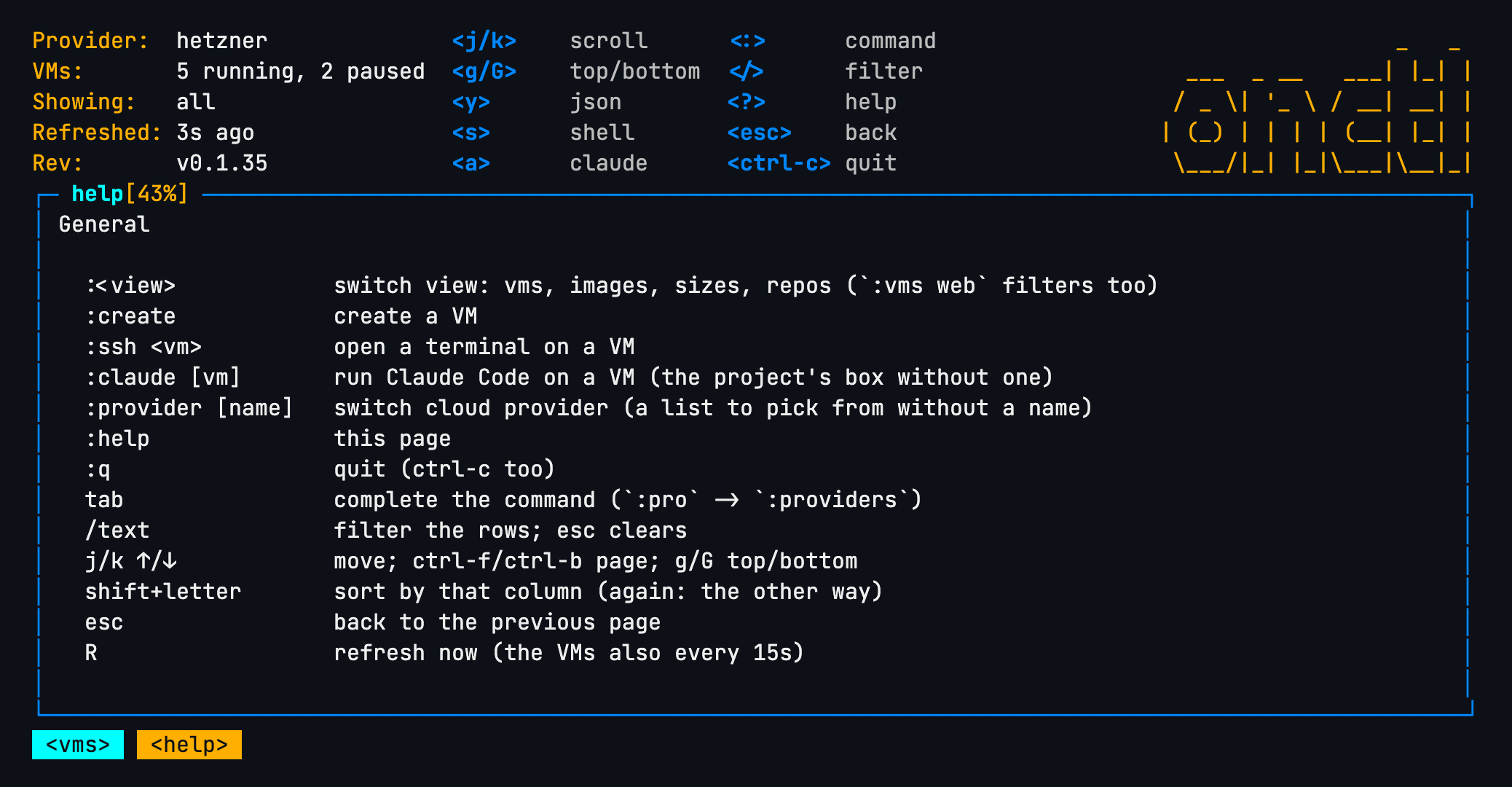
j/k or the arrows move the cursor, g/G jump to the top and bottom,
ctrl-f/ctrl-b page. shift + a column's letter sorts by that column, and
again the other way. esc goes back a page; ctrl-c or :q quits.
? lists every key for the view you're in:
Filtering
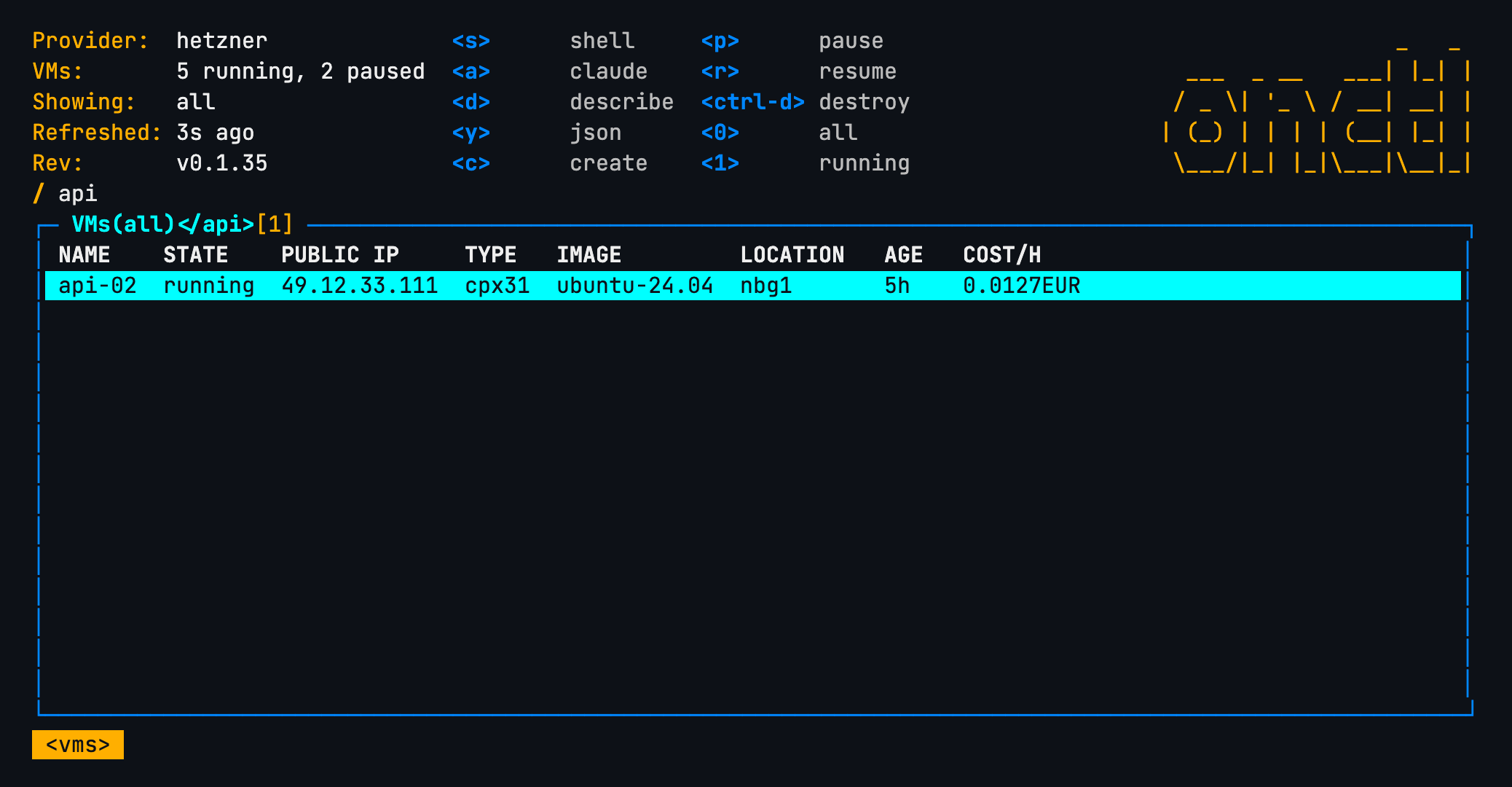
/ opens a filter prompt; the rows narrow as you type, and esc clears it.
In the VMs view, 0, 1 and 2 show all VMs, the running ones or the
paused ones (the two sections of onctl ls).
Working on a VM
With the cursor on a VM:
s | open a terminal on it (onctl ssh) |
a | run Claude Code on it (onctl claude --box <vm>, see Claude Code on a box) |
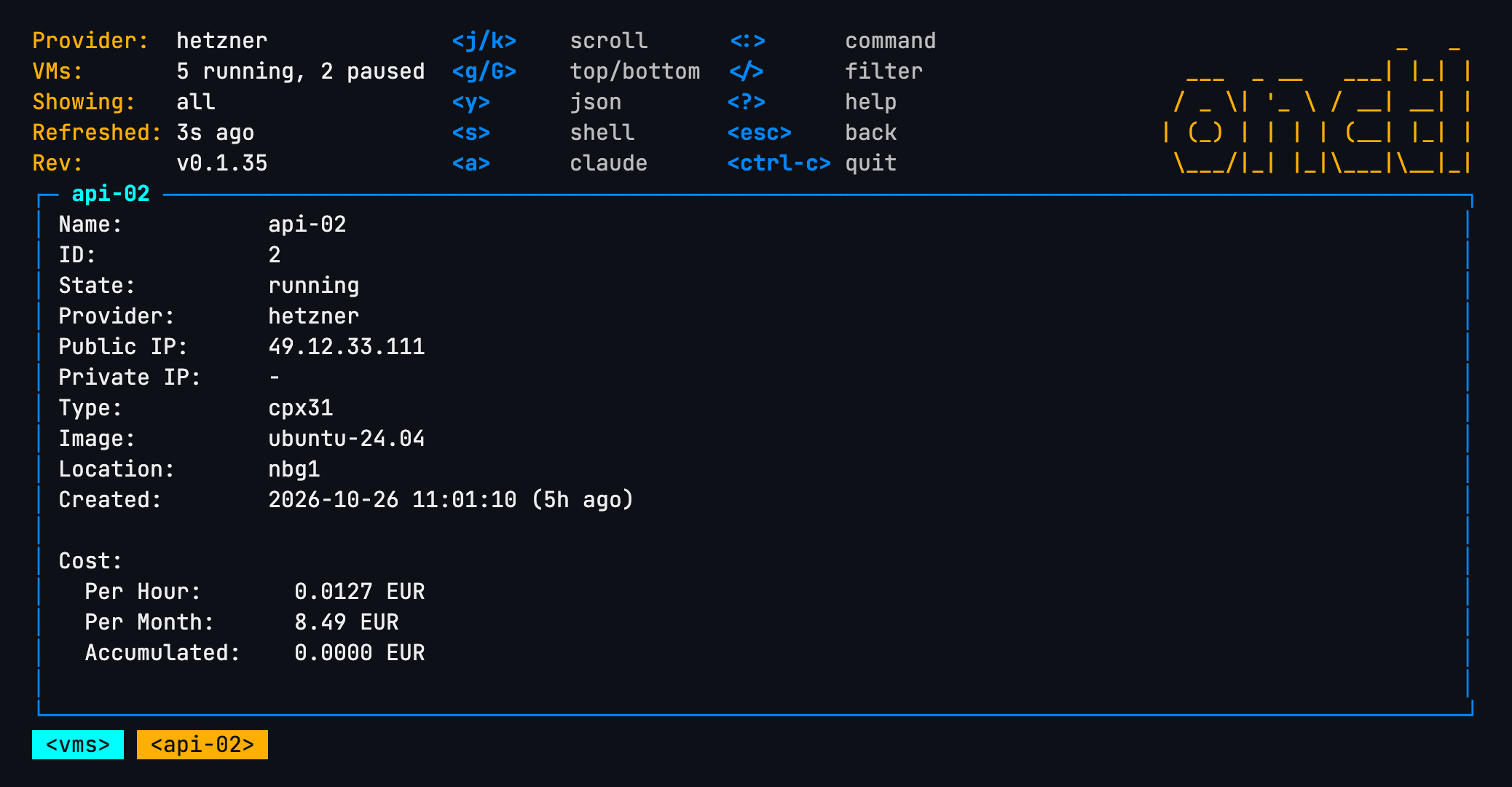
d or enter | describe it; y for its JSON |
c | create a VM: a form asks name, image and type, then runs onctl create |
p / r | pause / resume (onctl pause, onctl resume) |
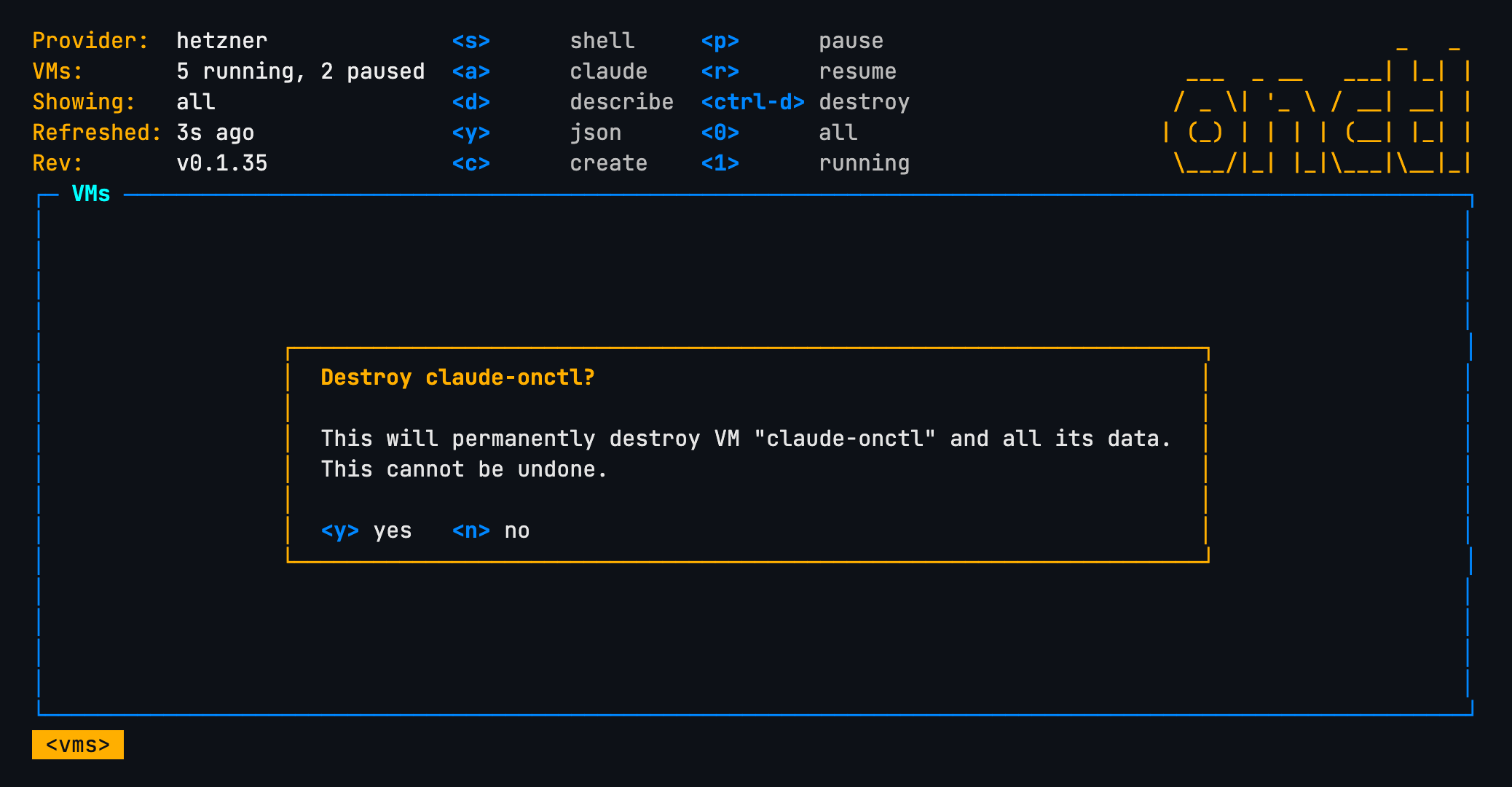
ctrl-d | destroy it (onctl destroy), after asking |
Destroy asks first:
Views
: opens a command prompt, with tab completion (:pro becomes
:providers). :vms, :images, :sizes and :repos switch view; :vms web switches and filters in one go.
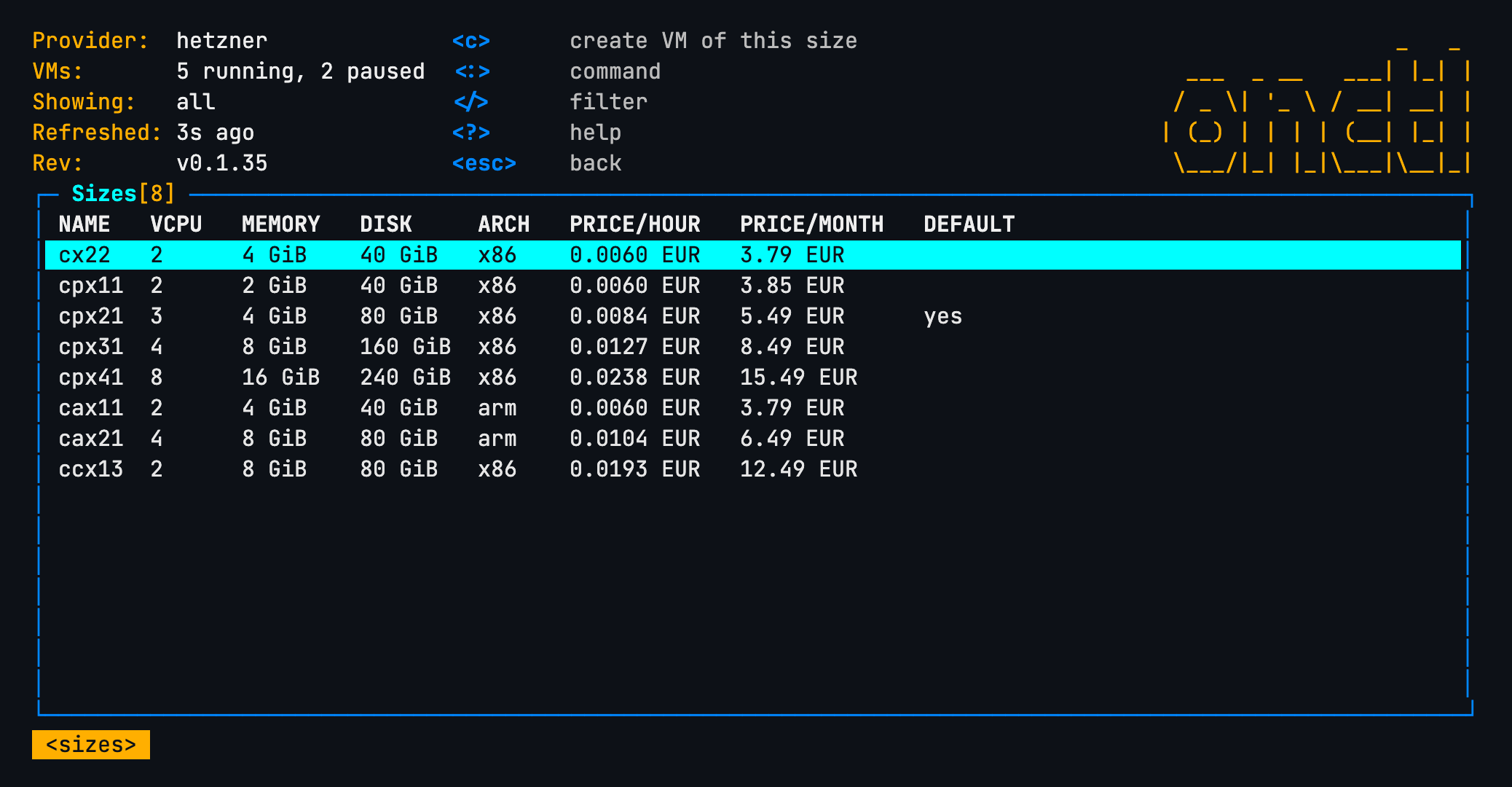
:imageslists the provider's OS images, the ones--imagetakes.con a row creates a VM from it.:sizeslists the sizes--typetakes, with vCPUs, memory, disk and, where the provider publishes them, prices.con a row creates a VM of that size.
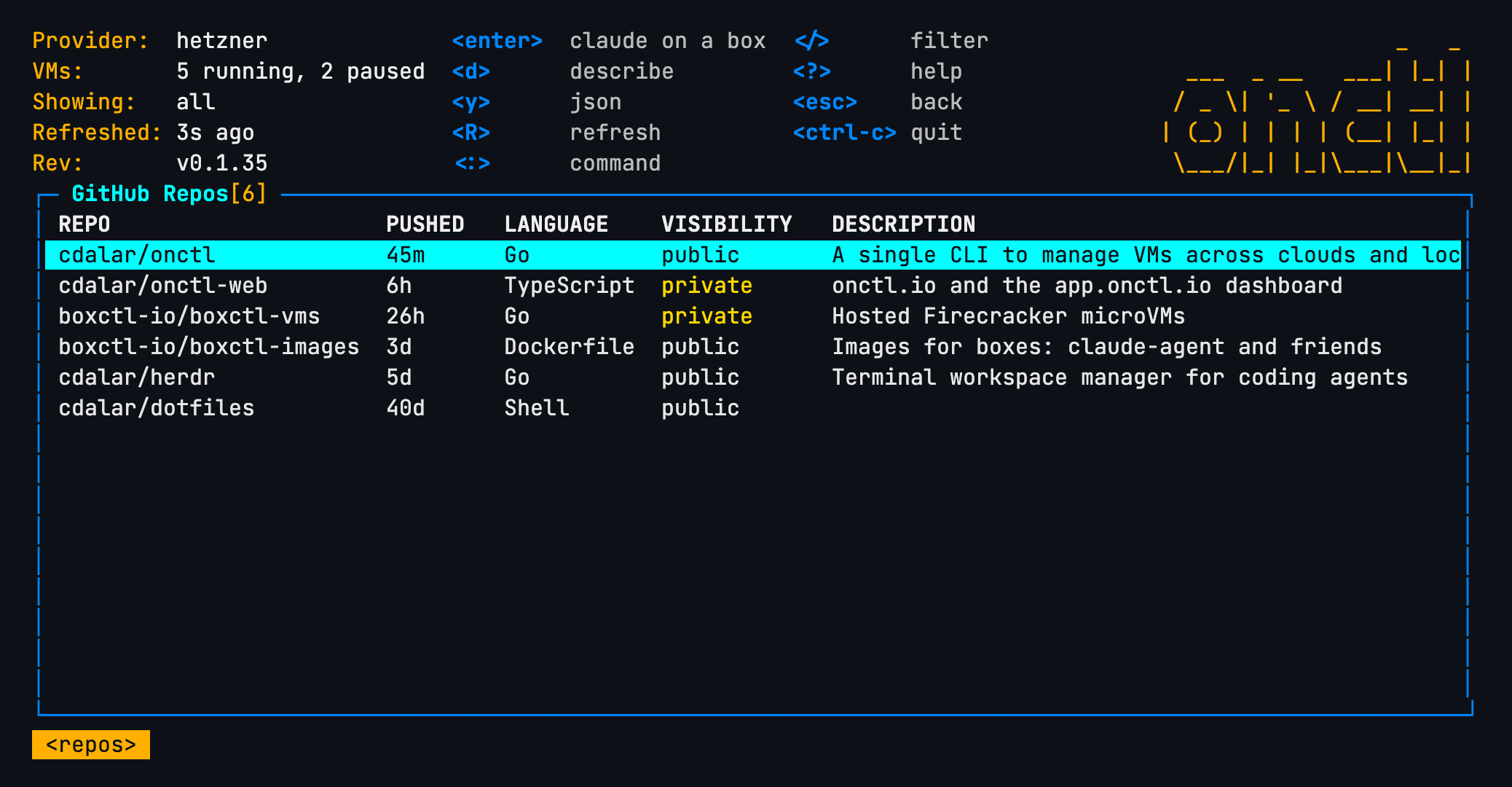
:reposlists the GitHub repositoriesgh's account can reach, newest push first.enteron one runsonctl claude --repo owner/name: a box on this provider with the repository cloned and Claude Code attached. It asks which box first:n, a new one (<name>-<word>-<word>-<id>), so two pieces of work on a repository never share a box, kept when Claude exits for:vmsto pause or destroy; orr, the repository's own box,claude-<name>, which later enters come back to.
:providerlists the clouds onctl knows, the current one marked;enterswitches the tui to that one.:provider hetznerswitches directly. On a machine with no.onctldirectory yet it first offers to runonctl init(not forboxes, which needs no config).:create,:ssh <vm>and:claude [vm]are the key actions as commands.Rrefreshes now. VMs refresh on their own every 15 seconds; images, sizes and repos are listed when their view opens and onR.
Every key
:vms :images :sizes :repos   switch view (also :q, :help, :create)
:provider [name]      switch cloud provider (a list to pick from without a name)
:claude [vm]          run Claude Code on a VM (onctl claude --box vm; the project's box without one)
/text        filter the rows; esc clears
j/k, arrows  move; g/G top/bottom; shift+letter sorts by that column
enter, d     describe the VM; y its JSON
s            open a terminal on the VM (onctl ssh)
a            run Claude Code on the VM (onctl claude --box vm)
enter        in :repos (your GitHub repos, newest push first, from gh), start Claude
             on a box of this provider with the repo cloned (onctl claude --repo)
c            create a VM (name, image and type are asked; runs onctl create)
p / r        pause / resume
ctrl-d       destroy the VM (asks first)
0 / 1 / 2    all VMs / running only / paused only
esc          back; ctrl-c or :q quits