One config file, every backend
onctl init writes a single onctl.yaml with every provider's defaults pre-filled. Edit the section you need, then pick it with -p or the ONCTL_CLOUD env var -- everything else about the command stays the same.
Abbreviated above -- the real file ships with every field commented.
# onctl.yaml
aws:
  vm:
    type: t2.micro
azure:
  vm:
    type: Standard_D4s_v3
gcp:
  type: n1-standard-1
hetzner:
  vm:
    type: cpx21
# no cloud account needed
fc:
  vcpuCount: 1
  memSizeMib: 2048
The whole lifecycle
Create, connect, check on it, tear it down -- four verbs, regardless of which of the six backends is on the other end.
❯ onctl create -n my-box -p awsServer IP: 3.68.140.22❯ onctl ssh my-boxroot@my-box:~#❯ onctl lsCLOUD NAME PUBLIC IP STATEaws my-box 3.68.140.22 running❯ onctl destroy my-boxmy-box destroyed.
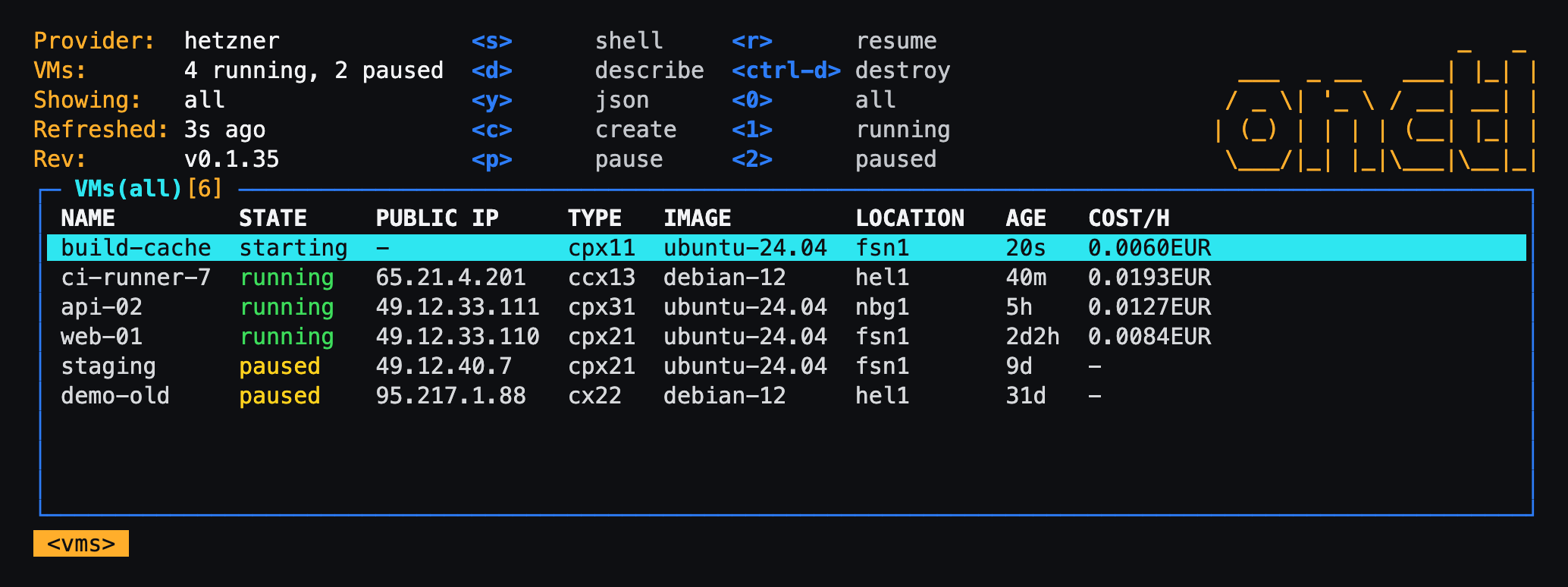
Or watch them all at once
onctl tui is the VM list as a live, k9s-style view. s opens a shell on the VM under the cursor, c creates one, p and r pause and resume, ctrl-d destroys (after asking), :images and :sizes show what the provider offers, and ? lists every key.